
A daily check-in
Your parent checks in with one simple action. If that check-in is missed, EverWhen follows the safety plan and alerts the people they selected.
When a parent lives alone, medication can become a daily worry for everyone who loves them. You do not want to keep calling and asking, “Did you take it?” They do not want to feel watched. EverWhen offers a calmer approach: friendly medication reminders for them, and a clear view of today’s routine for the family members they trust.

Morning medication
A friendly nudge at 8:00 AM
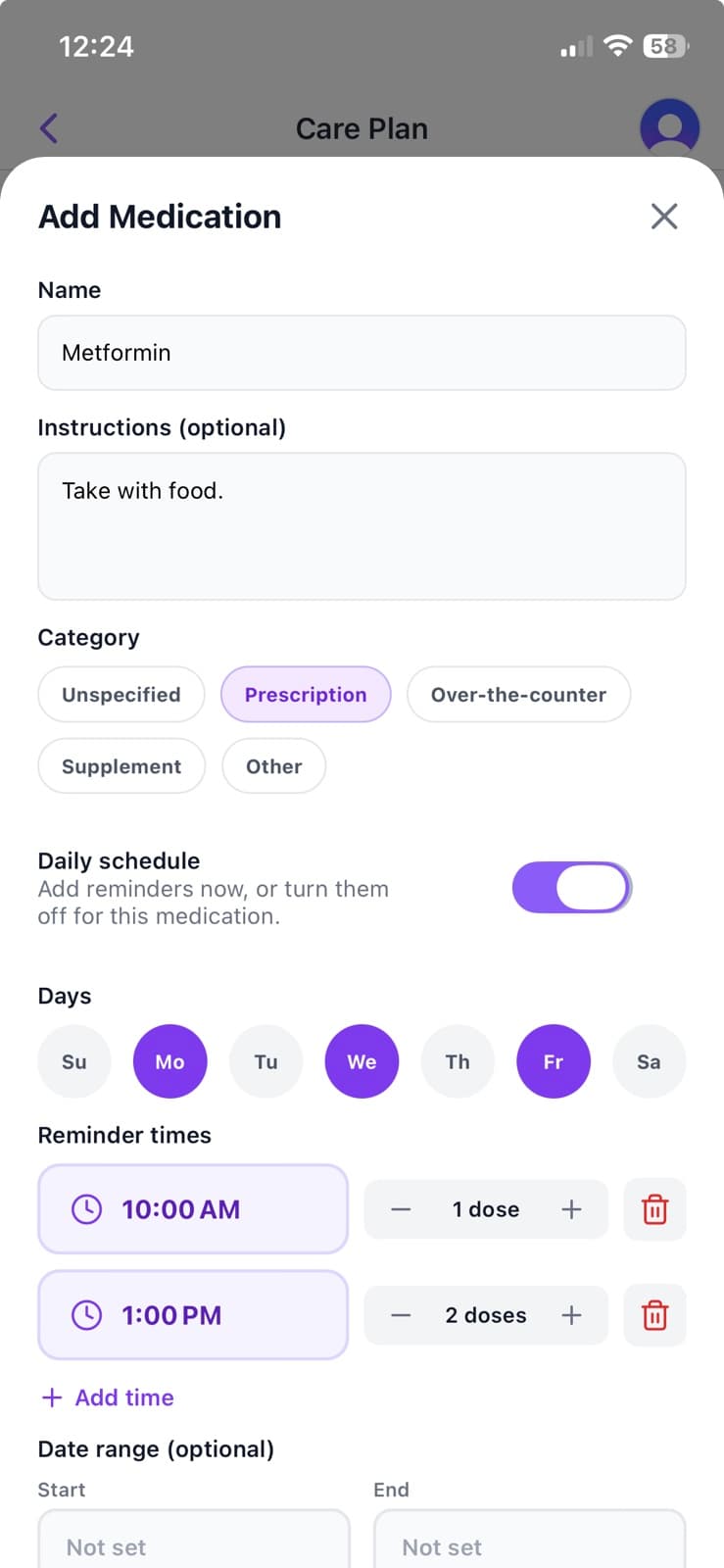
EverWhen does not leave your parent to configure another complicated app alone.
A helper with permission can create and update the entire medication schedule from anywhere. A daughter in another state can set up Dad’s morning and evening medications from her browser. Dad simply receives a friendly push notification on his iPhone at the right time.
If plans change, a permitted helper can update the schedule remotely.
Mom’s 8:00 AM pill can show as taken before you have finished your coffee.
Helpers you have given the reminders permission see the same schedule Mom does: each medication with its time and dose, crossed off once it is taken. They can also mark a dose taken for her, or fix a time, from their own phone. Helpers without that permission cannot see her medications at all. You can look when you are wondering, instead of interrupting her morning with another phone call.
If a dose is not marked taken, it remains visible in the log. After two hours, an unfinished dose is automatically marked missed instead of sitting indefinitely as pending.
EverWhen does not send the family an alert when a dose is missed. The record is there for permitted helpers to review when they choose.
Schedule
Tuesday, Mar 3
Lisinopril
8:00 AM • 1 dosetaken
Metformin
8:00 AM • 2 dosestaken
Vitamin D
1:00 PM • 1 dosedue
Metformin
6:00 PM • 2 dosesdue
Illustration of the schedule a helper with the reminders permission sees
Behind the scenes
An internal EverWhen check—not a family-facing status screen.
A reminder is only useful if it reaches the phone.
EverWhen checks the delivery receipt for every medication reminder. If the phone did not receive it, the reminder is recorded as undelivered rather than silently counted as sent.
That distinction matters. A reminder that quietly vanished is a dose missed for a reason nobody would ever notice. EverWhen catches those failures on our side and fixes them, so the reminders keep arriving.
Medication reminders are delivered through iPhone push notifications. They are not sent by text message or phone call.
Medication does not happen in isolation. It is part of an ordinary day filled with appointments, errands, and household tasks.
EverWhen keeps medications, appointments, and tasks together in one calendar. Your parent can see what is coming without moving between several apps.
Choose specific weekdays and optional start and end dates.
The routine stays aligned with the person receiving it.
The goal is not to turn the day into a medical chart. It is to make the routine easier to follow.
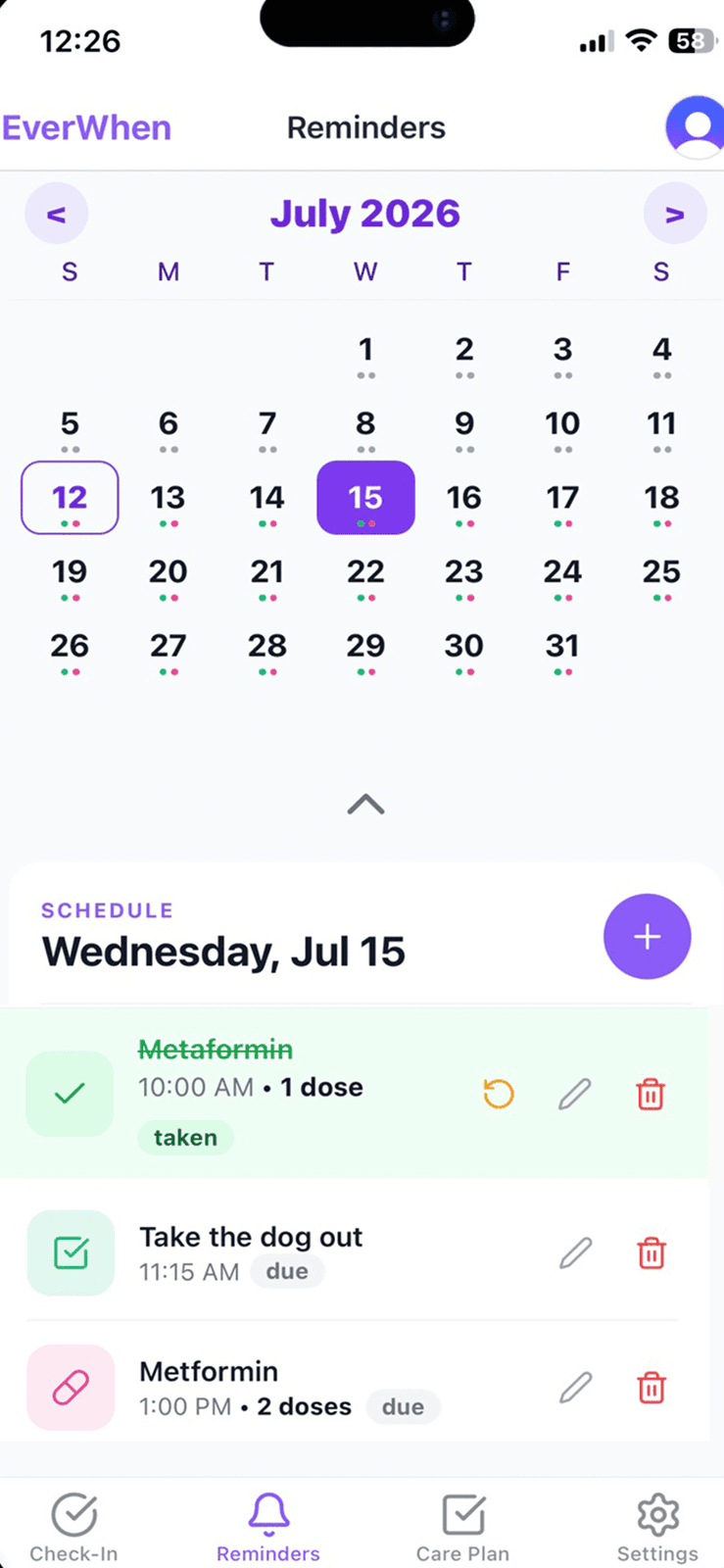
EverWhen is more than a pill tracker.
Your parent checks in with one simple action. If that check-in is missed, EverWhen follows the safety plan and alerts the people they selected.
Medication reminders support the everyday routine. Daily check-ins provide a separate safety net when your parent does not respond.
Together, they give families a calmer way to stay involved without hovering.
Basic Care includes one active medication at no cost. EverWhen Pro supports additional medications for $18.99 per month or $169.99 per year, with a 14-day free trial.
Set up one medication for free and give your parent a friendly reminder that fits their day. EverWhen is available on iPhone, and permitted helpers can support the routine from any web browser.
